AMD Ryzen Memory for gaming - The ultimate memory guide!
This guide will cover how to boost the performance of the Ryzen 9000 series, suitable memory configurations for different Ryzen models, and the important role of Kingston FURY EXPO certified memory in the entire ecosystem.
AMD Ryzen Memory Support: What You Really Need to Know
Games and applications can benefit from overclocked memory, resulting in faster response times and lower latency, making the right combination of memory speed and capacity critical for your Ryzen platform.
The latest AMD platform, known as AM5 (Socket AM5), only supports DDR5 memory and is built on the Zen 5 microarchitecture. The AM5 Ryzen 7000/8000/9000 series processors are compatible with the following AMD chipsets:
* X870E/X870
* B850
* B840
* X670E/X670
* B650E/B650
* A620
These processors and chipsets utilize a dual-channel DDR5 memory architecture, where two identical memory modules work together to consolidate bandwidth for optimal performance. While most AM5 motherboards have four memory slots, supporting two memory modules per channel, it's generally not recommended to install four memory modules unless you require an extremely large capacity.
Due to chipset limitations, installing a second DDR5 memory module will typically impact memory speed. All memory must operate at the same frequency, so even combining two high-speed dual-channel modules may result in poor performance or instability.
The first question to consider is always: How much memory do you need? After determining your target capacity, check the supported speed options based on your processor model and motherboard.
Recommended Memory Configurations for Different Ryzen Processors
| Ryzen CPU | Recommended RAM | Notes |
|---|---|---|
| Ryzen 9 / 7 – 9000 Series | 32GB (2x 16GB) DDR5 6400MT/s – 8000MT/s 64GB (2x 32GB) DDR5 5600MT/s – 6400MT/s 96GB (2x 48GB) DDR5 5600MT/s – 6400MT/s | Ideal for high-end gaming and multitasking |
| Ryzen 5 – 9000 Series Ryzen 7 / 5 – 8000 / 7000 Series | 32GB (2x 16GB) DDR5 5600MT/s – 7200MT/s 48GB (2x 24GB) DDR5 5600MT/s – 7200MT/s | Mid-level gaming and multitasking |
| Ryzen 5 – 8000 | 16GB (2x 8GB) DDR5 5600MT/s – 6800MT/s | Entry-level gaming and multitasking |
| Ryzen 9 / 7 – 7000 Series | 32GB (2x 16GB) DDR5 5600MT/s – 6800MT/s | – |
| Ryzen 9 / 7 – 5000 Series | 16GB (2x 8GB) DDR4 3600MT/s – 4600MT/s 32GB (2x 16GB) DDR4 3200MT/s – 3600MT/s 64GB (2x 32GB) DDR4 3200MT/s – 3600MT/s | High-level gaming and multitasking |
| Ryzen 7 / 5 – 5000 Series | 32GB (2x 16GB) DDR4 3200MT/s – 3600MT/s | Mid-level gaming and multitasking |
| Ryzen 5 – 5000 Series | 16GB (2x 8GB) DDR4 3200MT/s | Entry-level gaming and multitasking |
Furthermore, as modern games, heavy multitasking, and AI applications increasingly demand more memory, upgrading from 16GB to 32GB will provide a significant performance boost.
Overclocking Profiles Make Setup Easier
For gamers and performance users, maximizing system performance is crucial, but stability and reliability are equally important. AMD's EXPO (Extended Profiles for Overclocking) certified memory makes overclocking simple and stable through rigorously tested memory profiles optimized for the Ryzen platform.
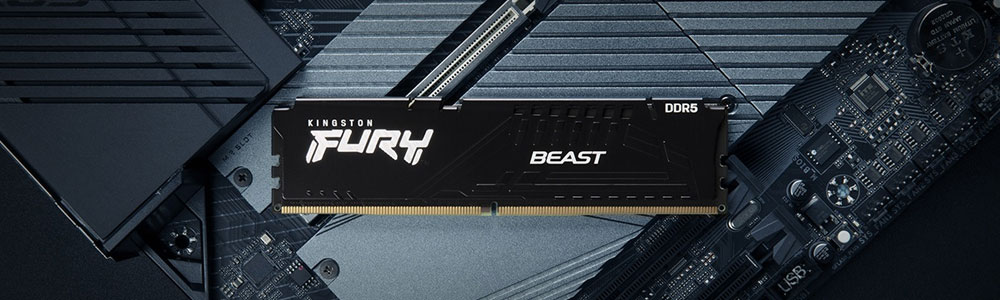
AMD EXPO certified memory, such as Kingston FURY Beast DDR5, helps users easily unleash the maximum performance of their AMD platforms. In addition to EXPO certification, almost all AMD Ryzen AM5 motherboards also support XMP-based memory profiles, so you can easily choose compatible overclocking memory kits from Kingston's Configurator tool or the motherboard QVL (Qualified Vendor List).
Key Features of EXPO
* Simplified Setup: Enable higher memory frequencies with a single click in the BIOS, eliminating the need for manual adjustments.
* Improved Performance: Higher frequencies and tighter timings improve game frame rates and reduce latency.
* Guaranteed Compatibility: EXPO memory is certified for the AMD platform, ensuring stable operation.
Prior to the DDR5 EXPO, AMD launched the DDR4 overclocking verification program "Ready for AMD Ryzen™," using XMP profiles to verify frequency, timings, and voltage. Overclocked memory that passes testing and confirms compatibility with AM4 motherboards and processors earns "Ready for AMD Ryzen" certification. This program improves compatibility testing within the ecosystem, reducing issues and ensuring stable overclocking.
You can visit Kingston Configurator to find overclocking memory kits supported by specific Ryzen motherboard models.
Further Optimizing Ryzen Gaming Performance with Radeon Graphics Cards
Pairing an AMD Ryzen processor with an AMD Radeon graphics card can further enhance gaming performance with the help of AMD SmartAccess Memory™ (SAM). SAM allows the CPU to directly access the graphics card's memory, reducing bottlenecks and increasing frame rates.
SAM Support Requirements:
* AMD Ryzen 3000 series or later processors
* AMD Radeon RX 6000 series or later graphics cards
* Compatible motherboards (usually Ryzen 5000 series or later)
Steps to Enable SAM
1. Update BIOS
Ensure your motherboard BIOS is updated to the latest version, usually available from the websites of manufacturers such as ASRock, ASUS, MSI, and Gigabyte. Updating usually adds SAM support.
2. Enter BIOS Settings
Restart your computer and press DEL or F2 during startup to enter the BIOS.
3. Enable Relevant Options
Go to Advanced Settings or the PCIe Configuration menu and enable:
* Above 4G Decoding
* Re-Size BAR Support
The naming may vary slightly depending on the motherboard manufacturer.
4. Save and Exit
Save the settings and restart your computer to enable SAM.
You can also check if SAM is enabled on the "Performance" page of the AMD Adrenalin software.
The performance improvement from SAM is most noticeable in games where the CPU is the bottleneck.
Unleashing the Full Potential of the AMD Ryzen Platform
Proper memory configuration is key to unlocking the full performance of an AMD Ryzen system. From faster DDR5 to EXPO profiles and SmartAccess Memory, each step contributes to a smoother gaming experience and faster system response. Whether upgrading an existing PC or building a new one, pairing the CPU with the right memory is crucial for the entire platform to perform at its best.