How to choose a microSD card for your Nintendo Switch
While previous Nintendo consoles typically used proprietary memory cards, the Switch uses a proven and widely used format: the small yet powerful microSD card.
The good news is, you have plenty of options!
MicroSD cards come in various capacities, with the Nintendo Switch supporting up to 2TB. However, unless you're a heavy digital user, smaller capacity cards are usually sufficient.
So, how much extra storage do you actually need?
That largely depends on your usage habits. Do you prefer buying physical games or downloading them online? If you tend to buy physical games, a 32GB or 64GB microSD card is usually enough. The advantage of buying physical copies of games is that it saves console storage space for other content. Of course, it's important to note that some games don't have physical versions and can only be obtained through download.
For moderate users, a 128GB–256GB microSD card is a good choice. If you plan to download a lot of games, a 512GB or higher capacity card is recommended.
When choosing a microSD card for your Nintendo Switch, consider the following:
* High-speed transfer performance, reducing loading times
* Durability
* Lifetime warranty
* Free technical support
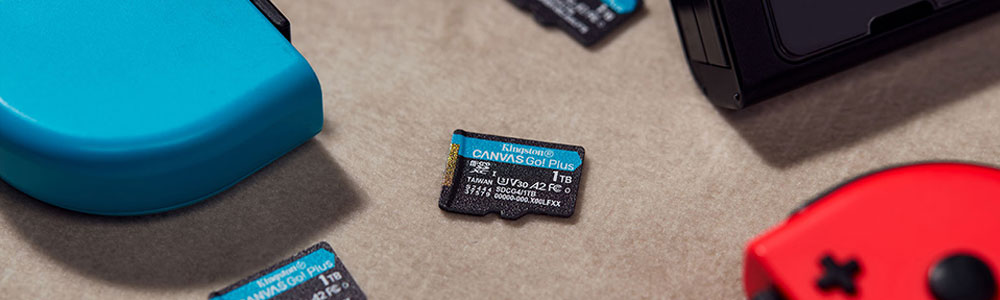
Kingston offers microSD cards perfectly suited for the Nintendo Switch. For example, the Canvas Go! Plus microSD card is an ideal storage solution for avid gamers and content downloaders, eliminating the need for frequent card replacements and long loading times. It boasts read speeds up to 200MB/s and write speeds up to 160MB/s¹, with capacities ranging from 64GB to 1TB.
You can access games faster and download more content at your convenience.
The Kingston Canvas Go! Plus microSD card is compatible with the Nintendo Switch and Nintendo Switch Lite, as well as other portable gaming devices such as Valve's Steam Deck, and phones and tablets with microSD slots. It comes with a lifetime warranty and free technical support, giving you peace of mind for years to enjoy stable storage and performance.
The product is available in 64GB, 128GB, 256GB, 512GB, and 1TB capacities, allowing you to choose the most suitable version based on your gaming and storage needs.
What about the Switch 2?
The Nintendo Switch 2 can import screenshots and videos from the Nintendo Switch using a standard microSD card, but it cannot be used to save or read digital games and save data. To achieve these functions, a microSD Express card is required.
Kingston does not currently offer microSD Express cards, but you can subscribe to our mailing list or follow us on social media to be the first to know about new product launches.